

5 Claude Code Techniques That Actually Change How You Work
It's not a chatbot. It's an agent and most people are barely using it.


Got BDE?⚡️
Hi data baddies 💅🏼
Most people grind for months trying to break into data and never land the role. Usually, because they are focused on the wrong things. 🙅🏻♀️ My FREE 5-day Data Career Kickstart course fixes that. 🔥
You can access the FREE course:
If your data lives in SQL Server, there’s a good chance it’s on-prem (meaning it’s sitting on physical servers inside your company, not in the cloud!!). And that’s fine, a lot of enterprise data still lives there.
But if your analytics stack is in Snowflake, you’re missing a lot of critical data, and it can be hard to connect those two worlds. Most teams end up with fragile pipelines, manual workarounds, and custom code that someone has to maintain forever.
CData Sync closes that gap without starting a HUGE engineering project. It replicates SQL Server data to Snowflake using log-based CDC (Change Data Capture), so you’re only moving what changed every time. So no unnecessary load on production and more importantly… no stale data!! Game changer for analytics.
Their team is doing a free live demo on May 20th at 10 am ET, and you’ll learn how to build no-code ingestion pipelines from 270+ sources (databases, SaaS apps, APIs) in minutes and how to replicate SQL Server data to Snowflake with log-based CDC.

I'm a technical person who has coded for years...
And I was TERRIFIED of the terminal. 💀
Which sounds ridiculous, but hear me out. I like coding. I CAN code! But the terminal always felt like a different LEVEL of coding. Heavy-duty, no guardrails, developer-tier stuff I had no business touching.
I am not a developer, and I want that to be very clear.
So when Claude Code first launched, and I had to use the terminal to set it up, I almost didn’t do it. But I did. And I genuinely could not believe what I had been sleeping on!
I’ve since built entire data cleaning projects from scratch, complete with a messy dataset, answer key, and a full readme. I’ve made videos about it. I’m OBSESSED. And here’s what most people don’t realize: Claude Code isn’t just for writing and debugging code. It does SO much more than that.
Today I’m breaking it all down AND sharing my top 5 tips to actually become a Claude Code power user.
If the terminal scares you, I promise you can do it. And if you get stuck, just ask Claude for help. DUH. 💁🏻♀️
The single biggest mistake people make with Claude Code is jumping straight to execution.
You give it a vague goal, it starts doing things, and somewhere along the way, it goes in a direction you did not intend. Now you are spending more time fixing the output than you would have if you had done it yourself.
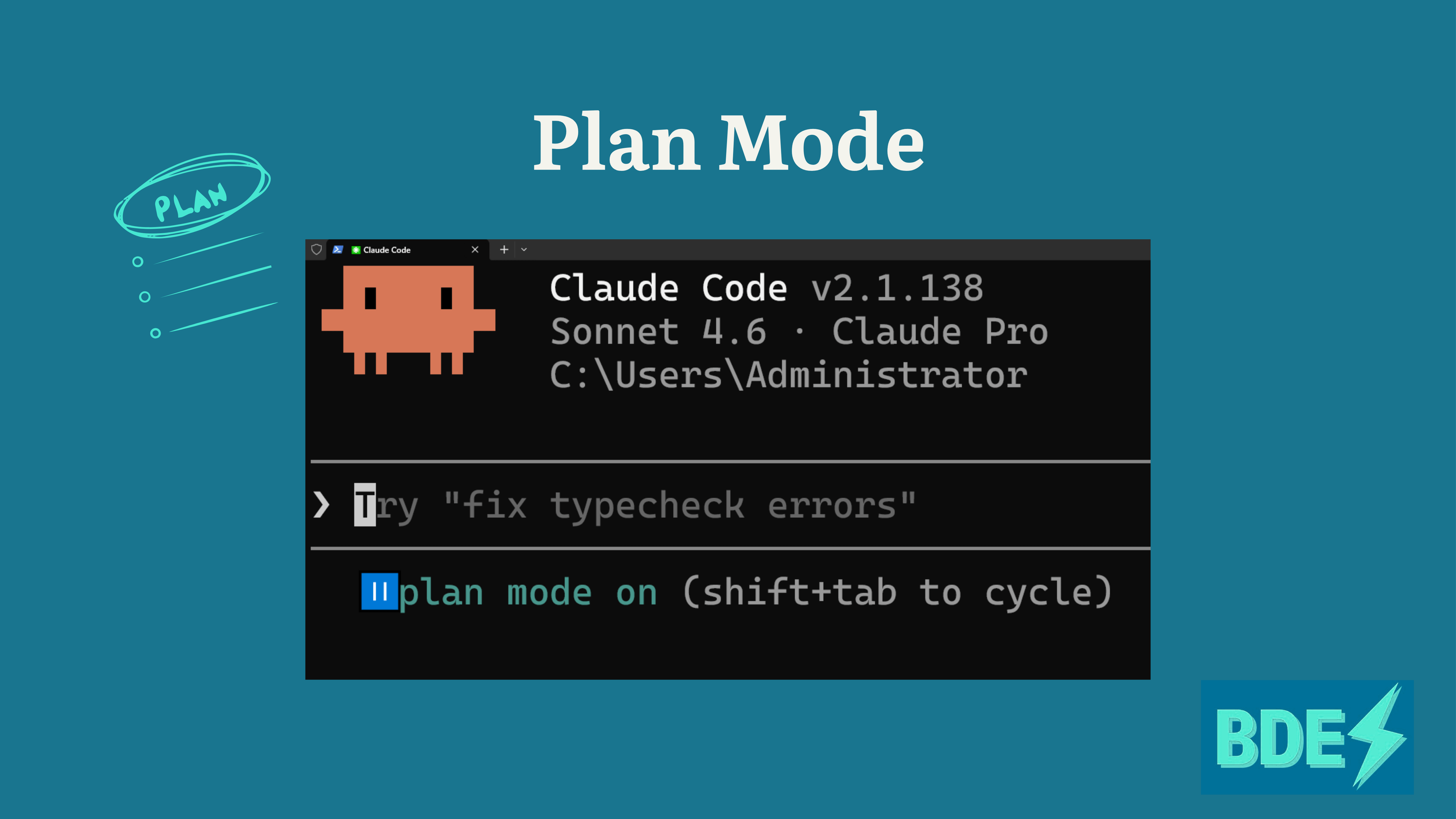
Plan Mode fixes this ENTIRELY. Before Claude touches a single file, you map out the full task together. You review the steps, approve the approach, and then Claude executes. ✨
To activate it: Hit Shift + Tab until you see 'plan mode on', enter your goal, and Claude will walk you through a structured plan before doing anything.
This matters ESPECIALLY for multi-step tasks. One wrong assumption early on, and suddenly everything downstream is a mess. We've all been there.
Here’s the difference: a vague prompt means Claude is guessing, filling in gaps, and making decisions you didn’t sign off on. A clear, approved plan means it executes end-to-end exactly the way you actually wanted.
Use Plan Mode every time you start a multi-step or ambiguous task, and I promise you will notice the difference immediately.
Set Up Your CLAUDE.md File
If you are re-explaining your project to Claude every single session, you are wasting time that compounds. Every time you start fresh, you are losing context that Claude needs to do good work, like your stack, your conventions, your rules, and your preferences. 😅
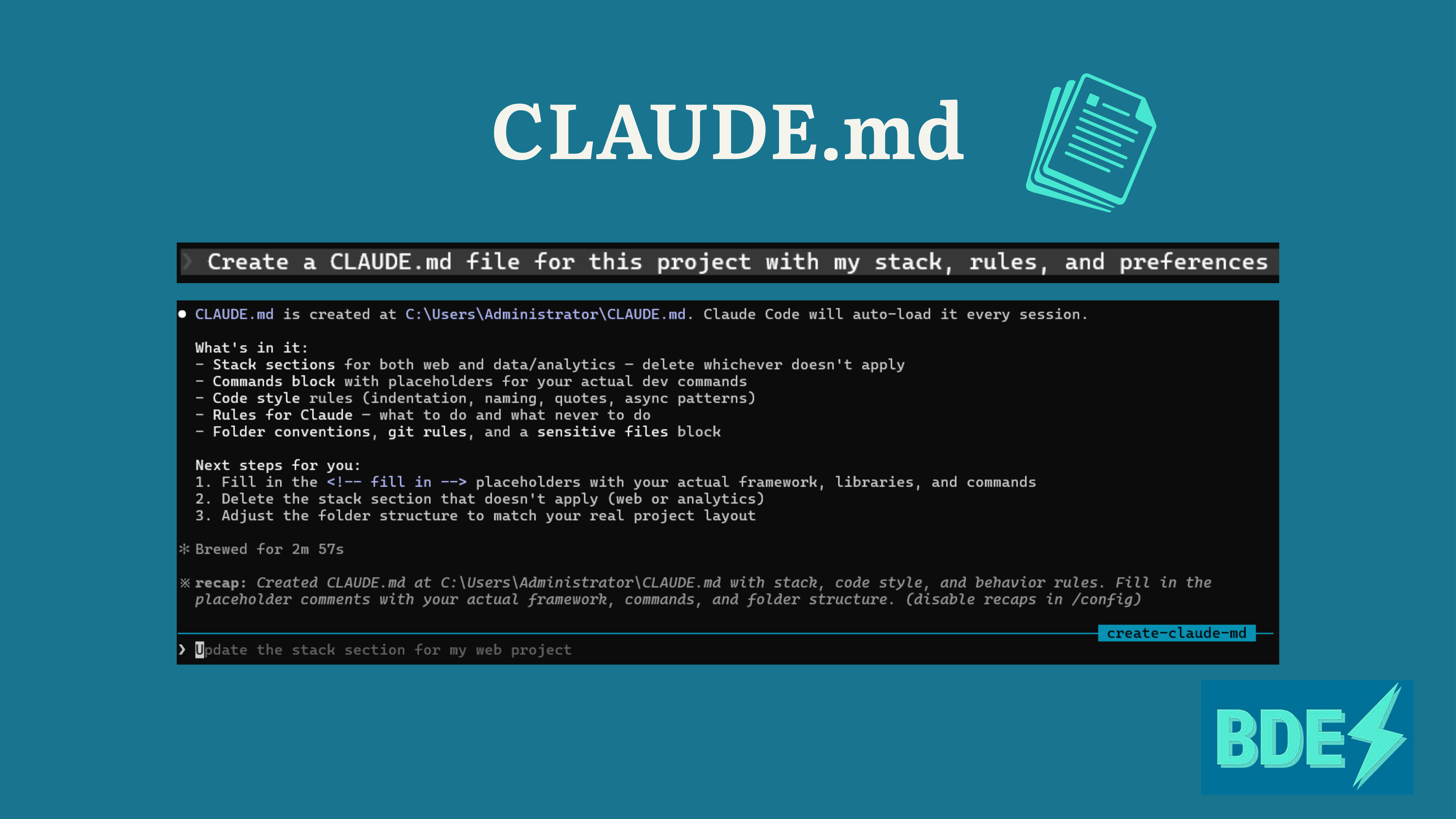
The fix is a CLAUDE.md file, which gives Claude permanent memory about your project.
There are two places you can put it:
~/.claude/CLAUDE.md ← global rules that apply everywhere
/your-project/CLAUDE.md ← project-specific context
The global file is where you put things that are always true: how you like code formatted, tools you always use, things you never want Claude to do.
The project-specific file is where you document your
Stack
Folder Structure
Any conventions that are specific to that codebase
Anything Claude needs to know to work in context
Once this is set up, Claude already knows your project before you type a single prompt. You stop repeating yourself. This is one of those things that feels like a small setup investment and pays off immediately and continuously. I HIGHLY recommend doing this for every project you plan to return to more than once.
Connect Your Tools with MCP
Most workflows do not live in one place. You are pulling context from GitHub, referencing Notion docs, checking Slack threads, managing Jira tickets, and right now, you are probably doing all of that manually. 🫣
MCP (Model Context Protocol) lets Claude connect directly to those tools so it can pull context from all of them at once, without you having to act as the middleman.
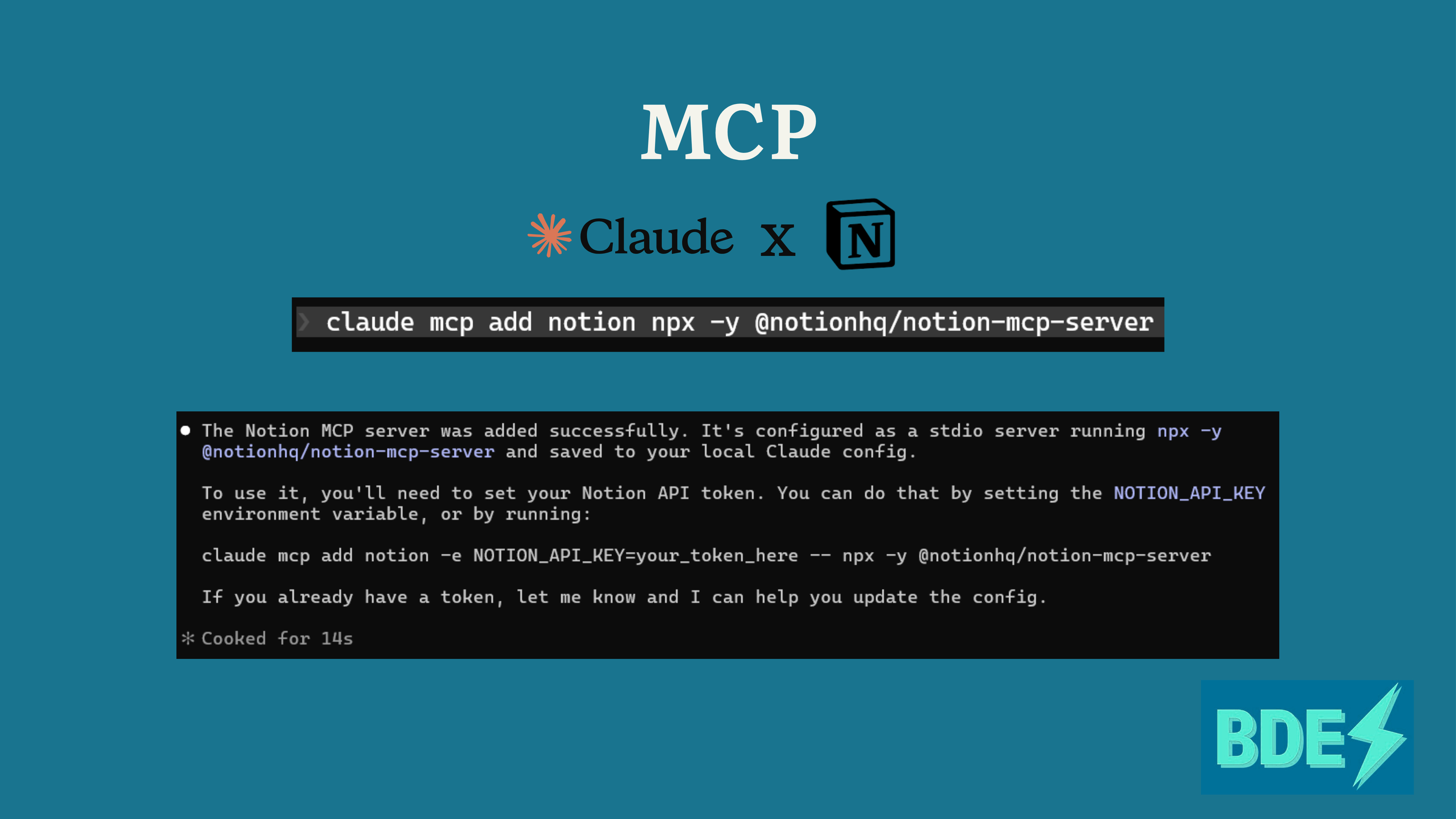
To set it up:
claude mcp add <name> <command>
example: claude mcp add notion npx -y @notionhq/notion-mcp-server
Think about what that actually means.
No more pasting in your Notion doc or copying over context you definitely forgot half of. Claude already has it!
Once set up, Claude pulls context directly from your tools so no more copy-pasting between apps. And the output gets BETTER because Claude is finally working with the full picture instead of whatever you remembered to throw into the prompt at the last second.
Build Skills for Recurring Tasks
Here is a pattern that happens constantly: you explain how to do a specific task to Claude, it does it well, and then in the next session, you explain it all over again and again and again. 😬
Skills solve this. A skill is a set of instructions packaged as a slash command. Save it once at ~/.claude/commands/your-task.md, then invoke it any time by typing /your-task, no re-explaining required.
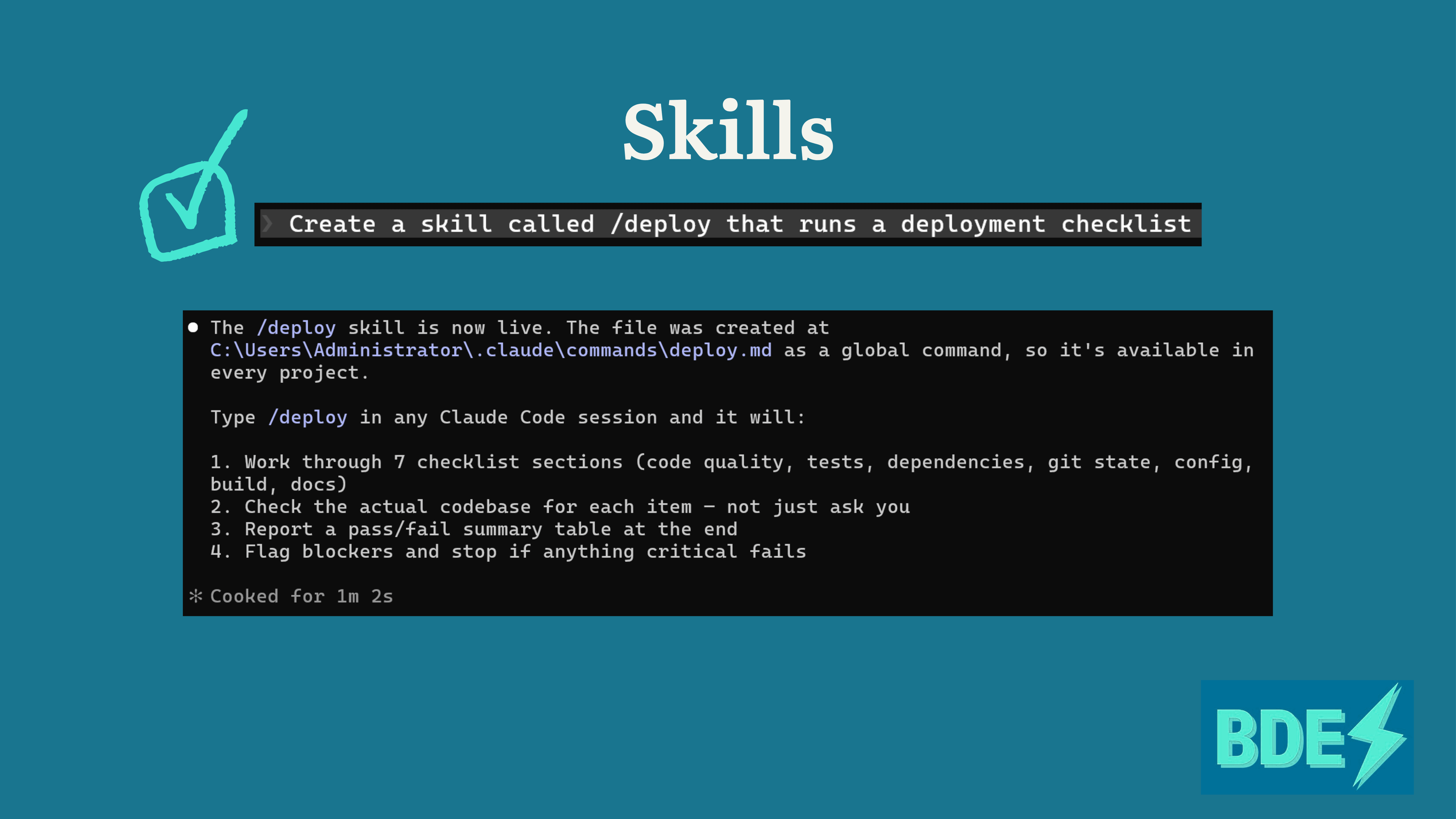
The file structure looks like this:
~/.claude/commands/your-task.mdThink about the tasks you do on repeat. Generating reports in a specific format, running the same type of analysis, and following the same review process for PRs every single time.
If you have explained the same task to Claude more than twice, that is your sign. 👀
Package it ONCE and stop wasting your time re-explaining yourself like Claude has amnesia. You already did that work, so you should never have to do it again.
Run Parallel Sessions
This one feels almost too simple, but it is genuinely one of the most powerful changes you can make to your workflow.
Claude Code can run in multiple terminal windows simultaneously. That means while Claude is working on one task, you can have a second session working on a completely separate task at the same time. You are not waiting, and you’re not idle.
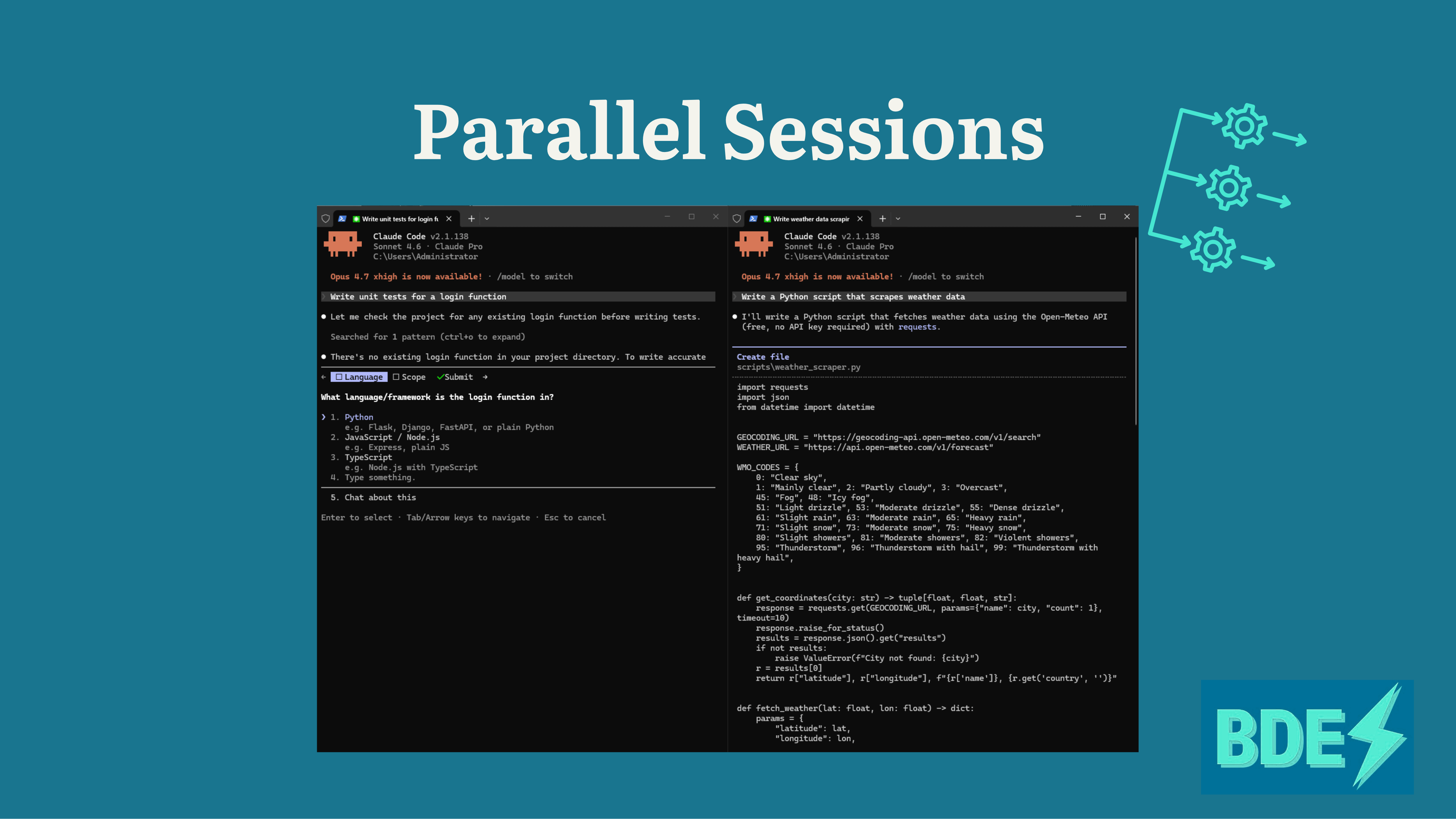
Two things are happening in parallel.
Terminal window 1 → Task A
Terminal window 2 → Task B
Before: one task at a time, Claude sitting there idle while you review output or context-switch like it’s 2019.
After: two windows running, output doubling, and you’re spending your time on ACTUAL decisions instead of just waiting around.
Note: parallel sessions consume tokens from both windows simultaneously, so this works best on Pro or higher plans.
The only rule is that your tasks need to be genuinely independent. Different files, different features, different analyses. If task B needs task A to finish first, keep them sequential. That’s just logic. 😉
But the second you have parallel workstreams, run parallel sessions. It is one of the fastest ways to multiply what you get done with Claude Code, full stop.
Here’s the thing nobody tells you about Claude Code.
Most people use it like a fancy autocomplete. Type a thing, get a thing, move on. And yeah, it works. But you are leaving SO much on the table.
The five tips I just walked you through are not productivity hacks. They are the difference between a tool that saves you ten minutes and a tool that changes what you can actually get done in a day. 💪🏻
Plan Mode means you think before you break things. CLAUDE.md means it never forgets what you told it. MCP means you stop switching between tools like a maniac. Skills mean you stop repeating yourself. And Parallel sessions mean you stop waiting.
Together, it’s not just faster. It’s a completely different way of working.
Claude Code is only as powerful as how you use it. And now you know how to actually use it.
We are in the middle of a real shift in how technical work gets done,
and Claude Code is one of the clearest examples of what that shift actually looks like in practice. The people who learn to delegate work to agents are the ones who are going to move the fastest.
The gap between people who use AI well and people who use it casually is about to become very obvious. ⚡️
Bye BDEs 💅🏼
Jess Ramos 💕
⚡️ Social Highlights:
⚡️If you’re new here:
💁🏽♀️ Who Am I?
I’m Jess Ramos, the founder of Big Data Energy and the creator of the BEST SQL course and community: Big SQL Energy⚡️. Check me out on socials: 🔗YouTube, 🔗LinkedIn, 🔗Instagram, and 🔗TikTok. And of course subscribe to my 🔗newsletter here for all my upcoming lessons and updates— all for free!
Very good guide 😀👍🏼
Thanks so much, I now understand what the .md files are for