

Building with the FastF1 Python Package
FREE race data from the API


Got BDE?⚡️
Hi data baddies 💅🏼
If you want to get your hands on this FREE mini-course that helps you start mastering the #1 skill you need to land high-paying data roles, you’ve got to move FAST and stop wasting time learning the wrong things!
You can access the FREE 5-day Data Career Kickstart course HERE!!
The US government blacklisted an AI company for the first time EVER, Claude said no to the Pentagon, Trump called them left-wing nut jobs, and somehow Katy Perry got involved? 💀
I broke down the ENTIRE story, plus an honest Claude vs ChatGPT breakdown. You can watch it here 👇🏻
How to connect to FastF1 data & build projects
I went to my first F1 race last year in Las Vegas, and left completely hooked!

Seeing the speed and the atmosphere in person is a different experience from watching on TV. So naturally… I had to find a way to combine my two interests. Data and F1, and that’s when I found FastF1.
It pulls real F1 data straight from the official F1 timing API, so you get actual race data. Lap times, sector splits, tyre strategy, pit stops, full car telemetry, weather, race results, and all of it come back as Pandas DataFrames, so it fits right into any Python workflow you’re already running. 🏁
Here’s how I used it in 3, 2, 1, GO!! 🏎️
Step 1: Install + Set Up Caching
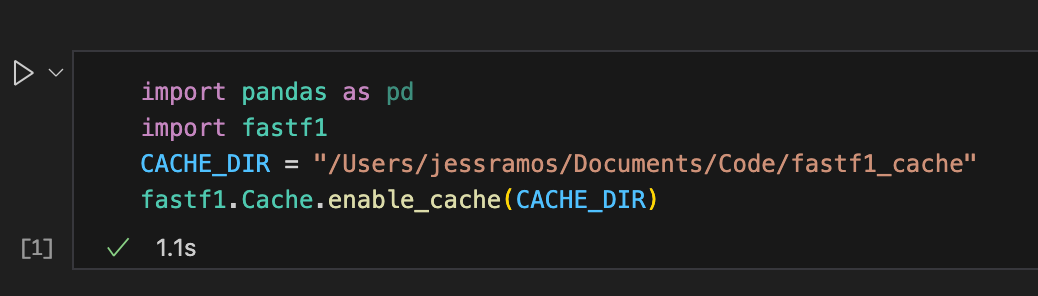
Pip install FastF1, then import it alongside Pandas. The first thing you wanna do is enable caching and point it to a local folder. That way, it saves your data there, so you’re not re-downloading everything every single run.
Step 2: Pull Your Session
Pass in three things: year, circuit name, and session type. Here I pulled the 2025 Las Vegas Race: fastf1.get_session(2025, ‘Las Vegas’, ‘Race’) then call session.load () and you pull in all that session’s data.

Step 3: Here’s What You Can Get for Each Session’s Data
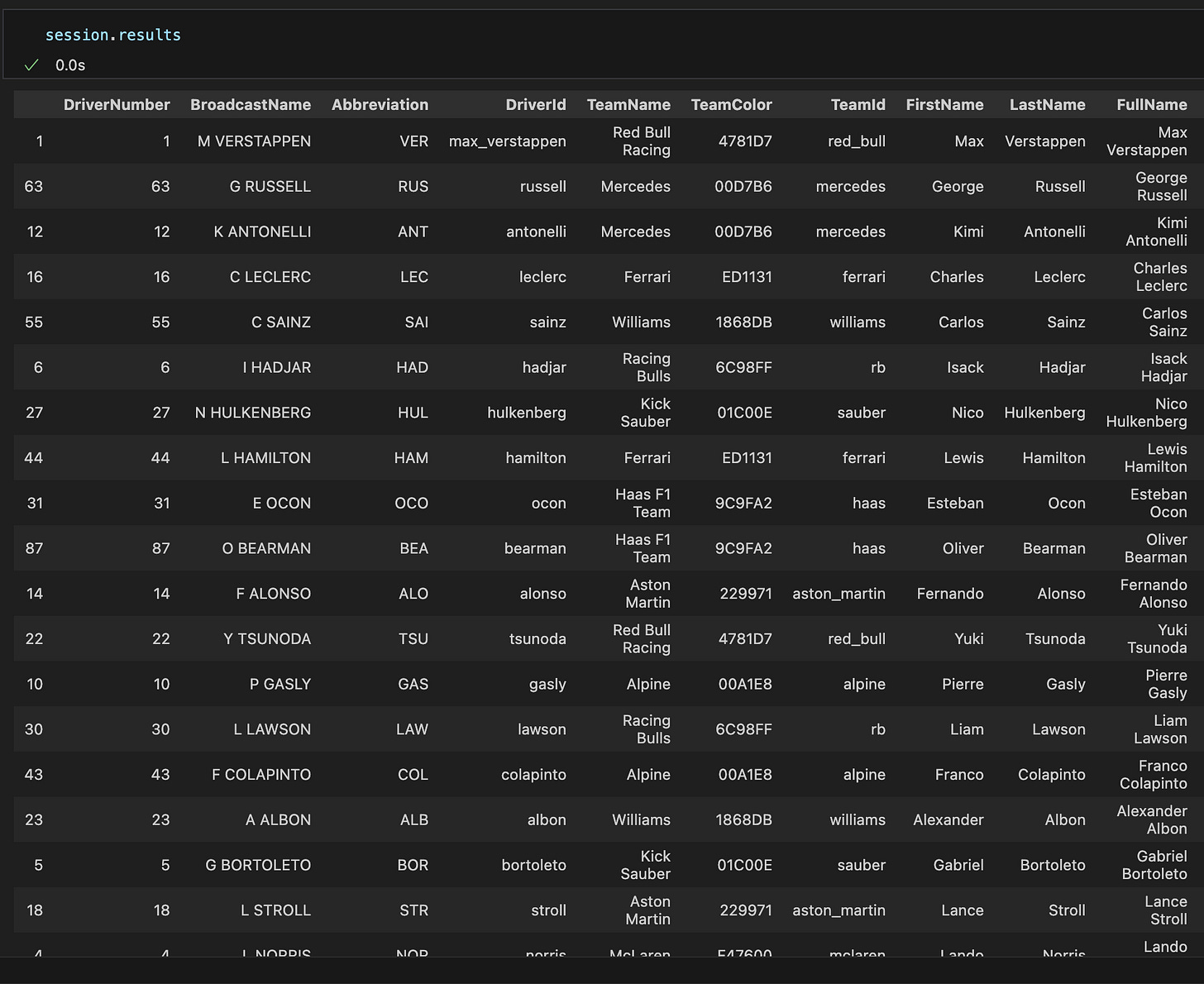
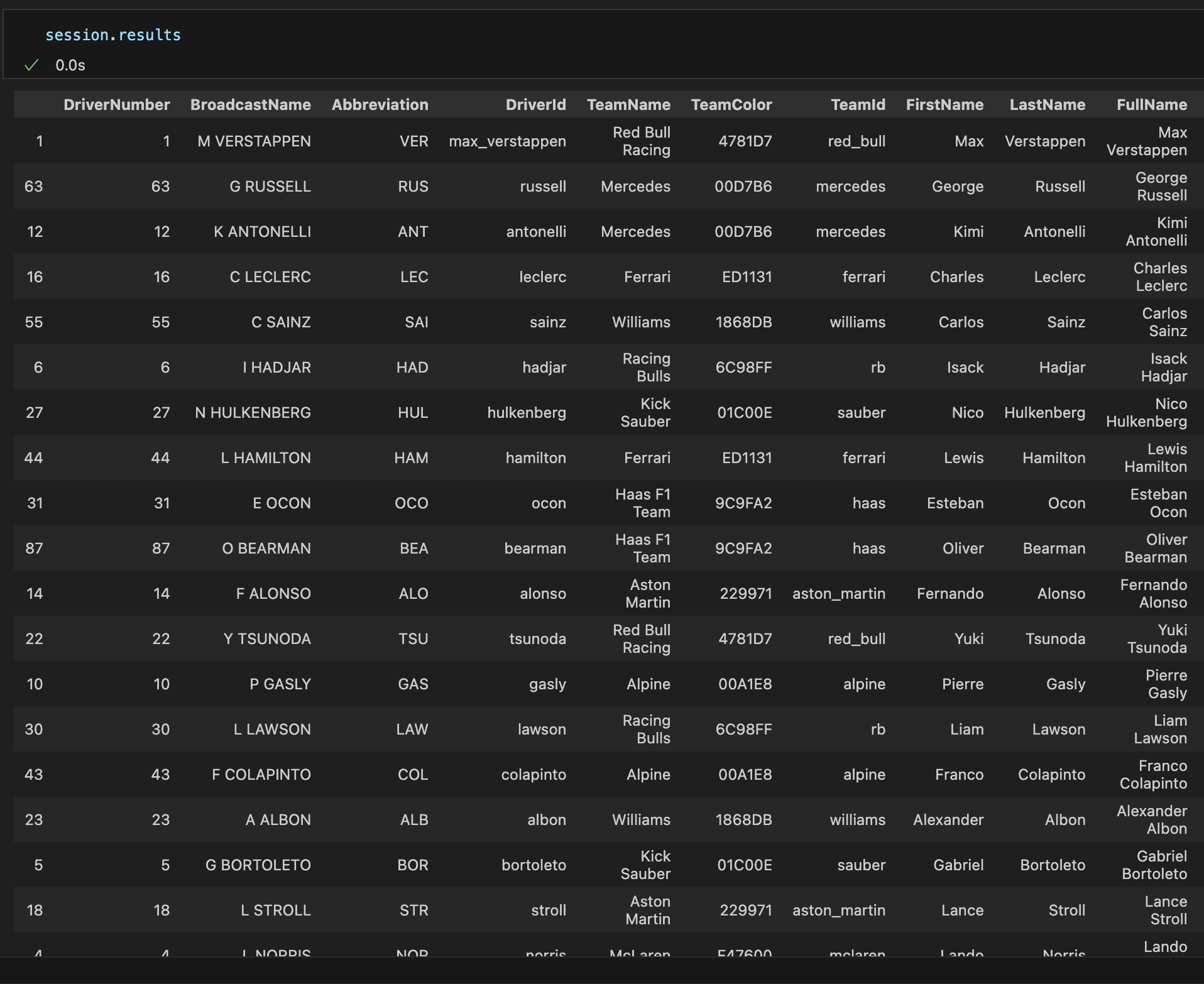
session.results: Is a full DataFrame with every driver, their team, finishing position, and status. If you wanna see who DNF’d or which constructor had a bad day, it’s all right here. (Verstappen won btw 👀)
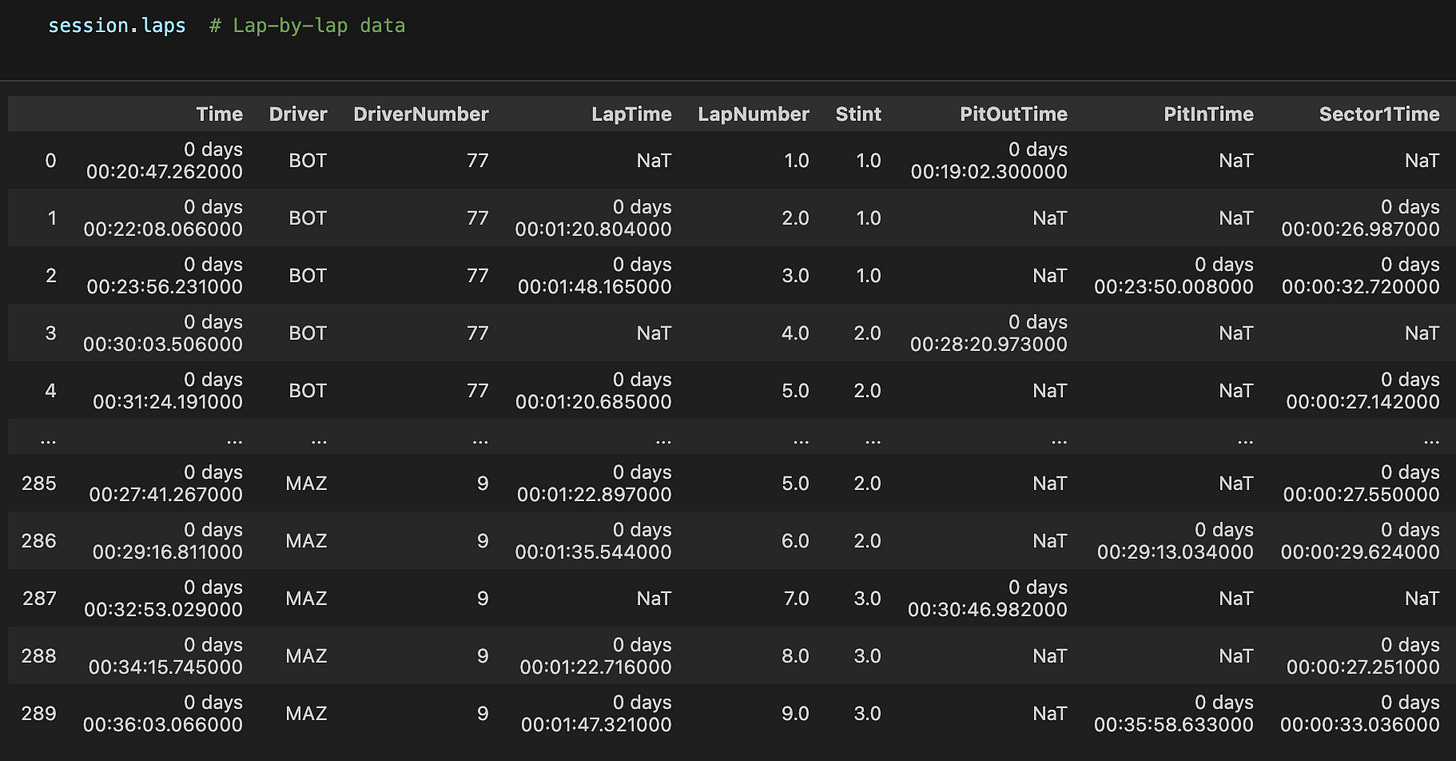
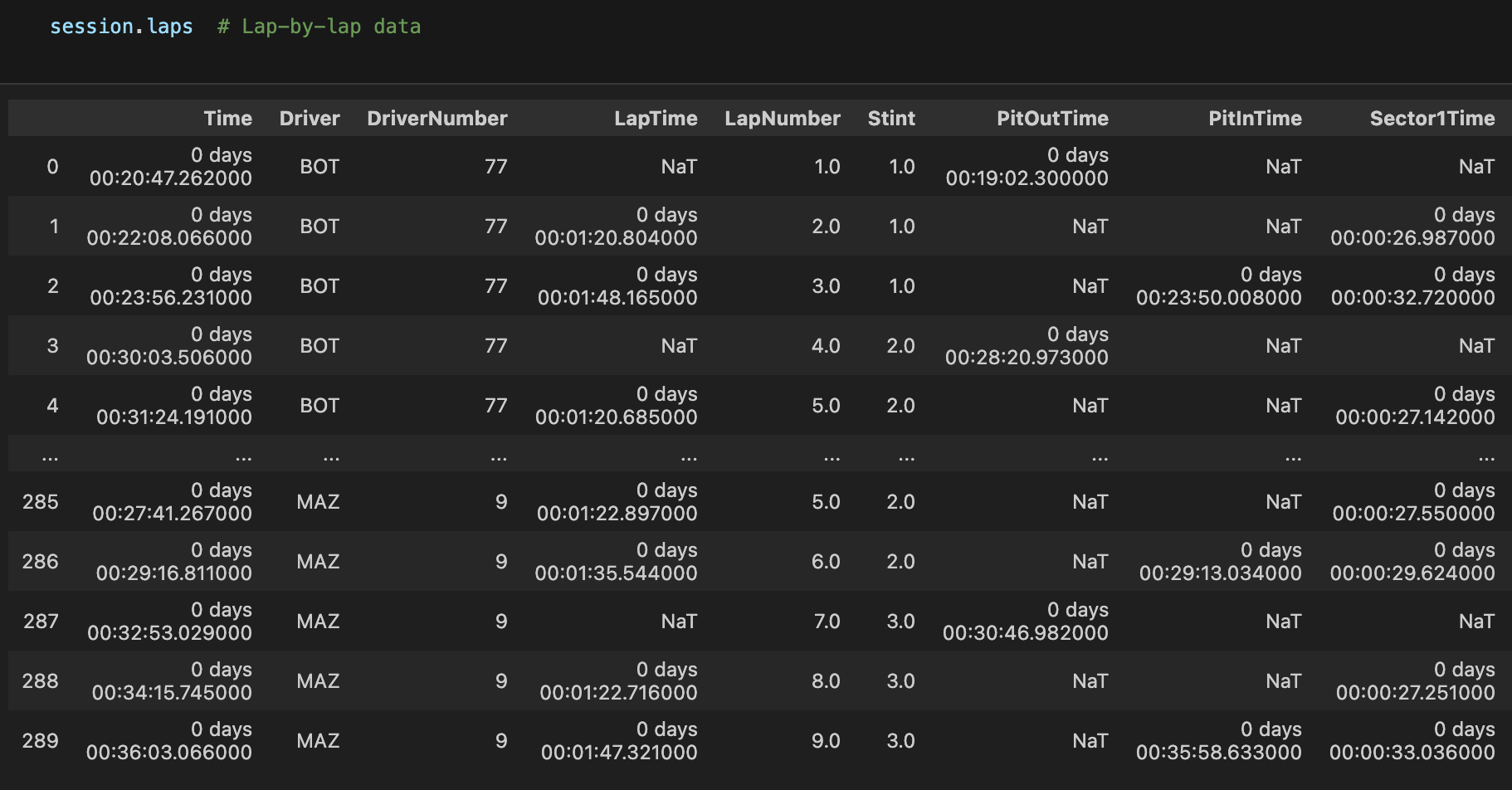
session.laps: Every lap for every driver. Lap times, sector times, tyre compound, tyre life, pit-in and out times, and stint number.
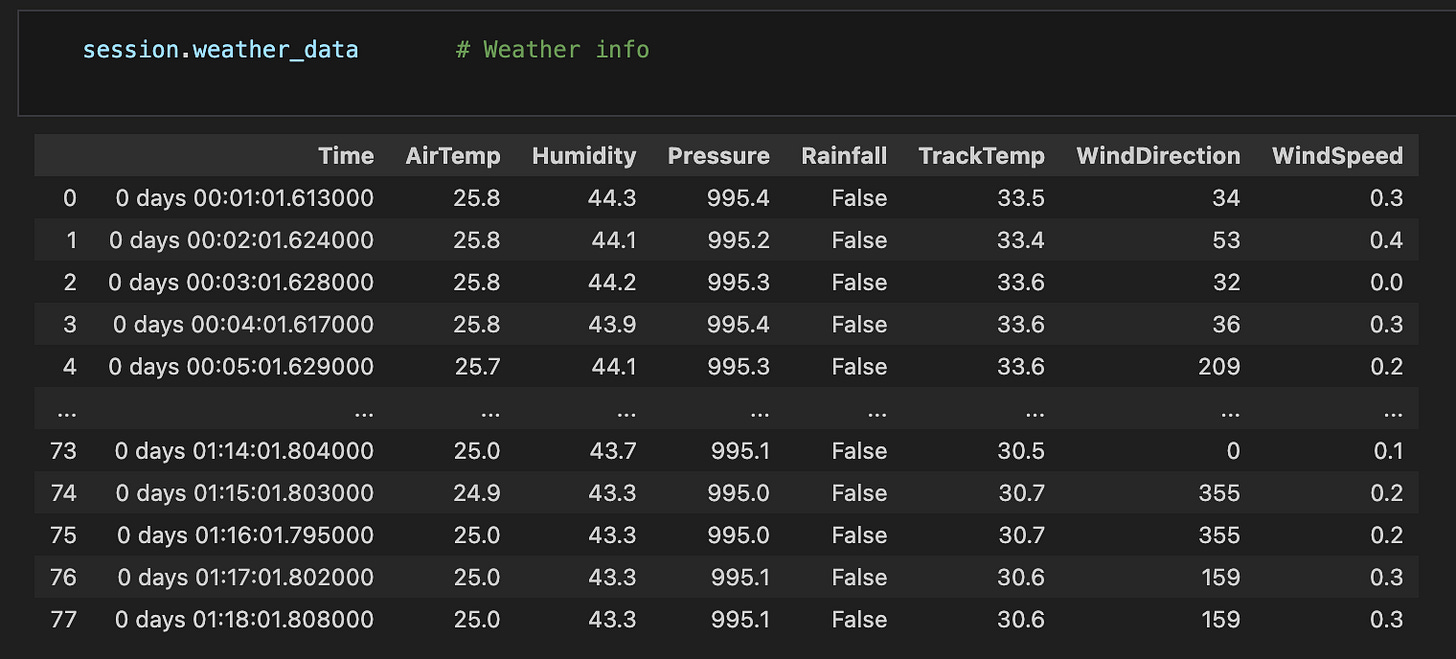
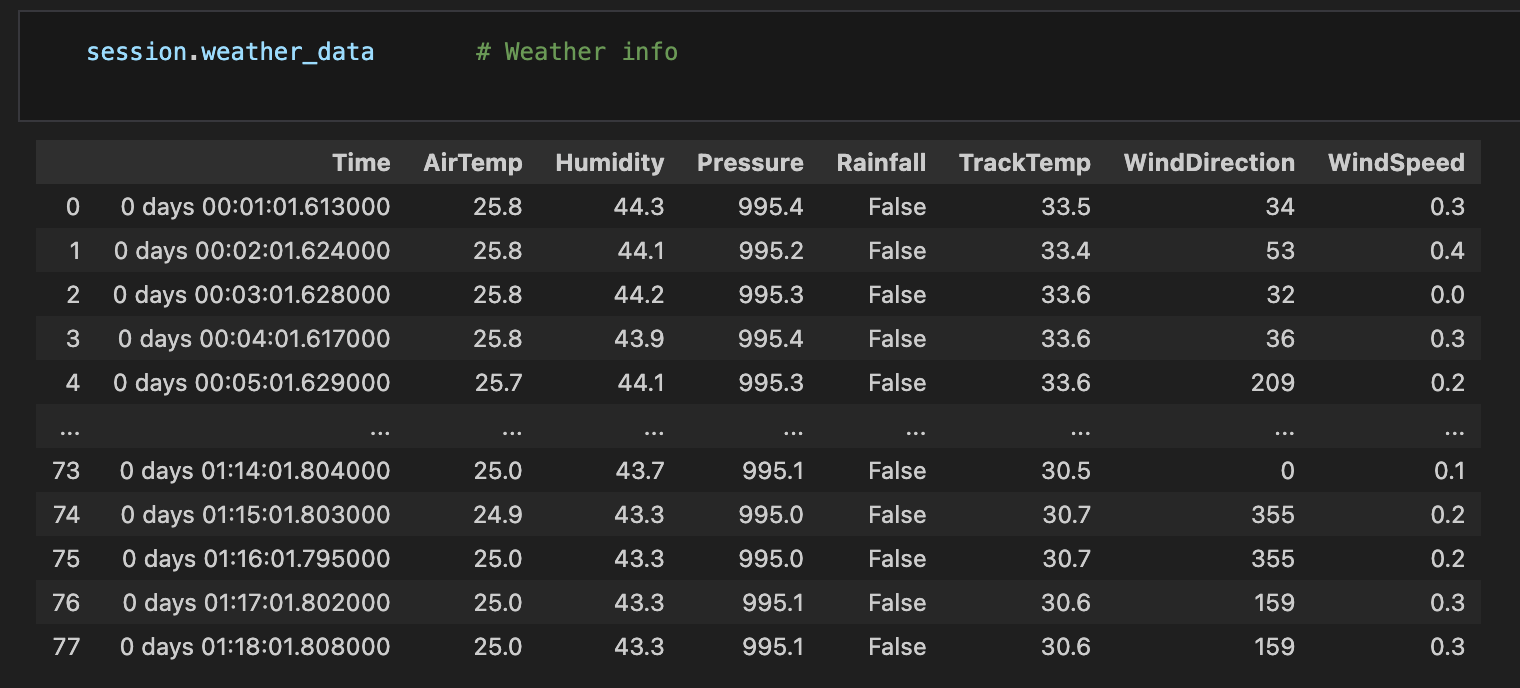
session.weather_data: Air temp, track temp, humidity, pressure, wind speed, wind direction, and rainfall are all mapped across the session.
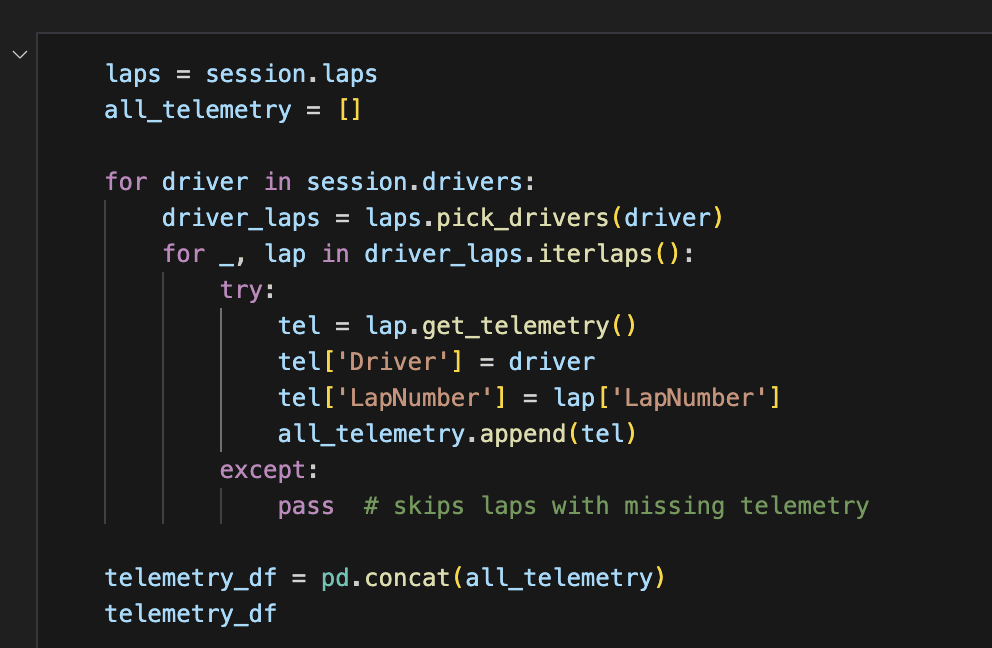
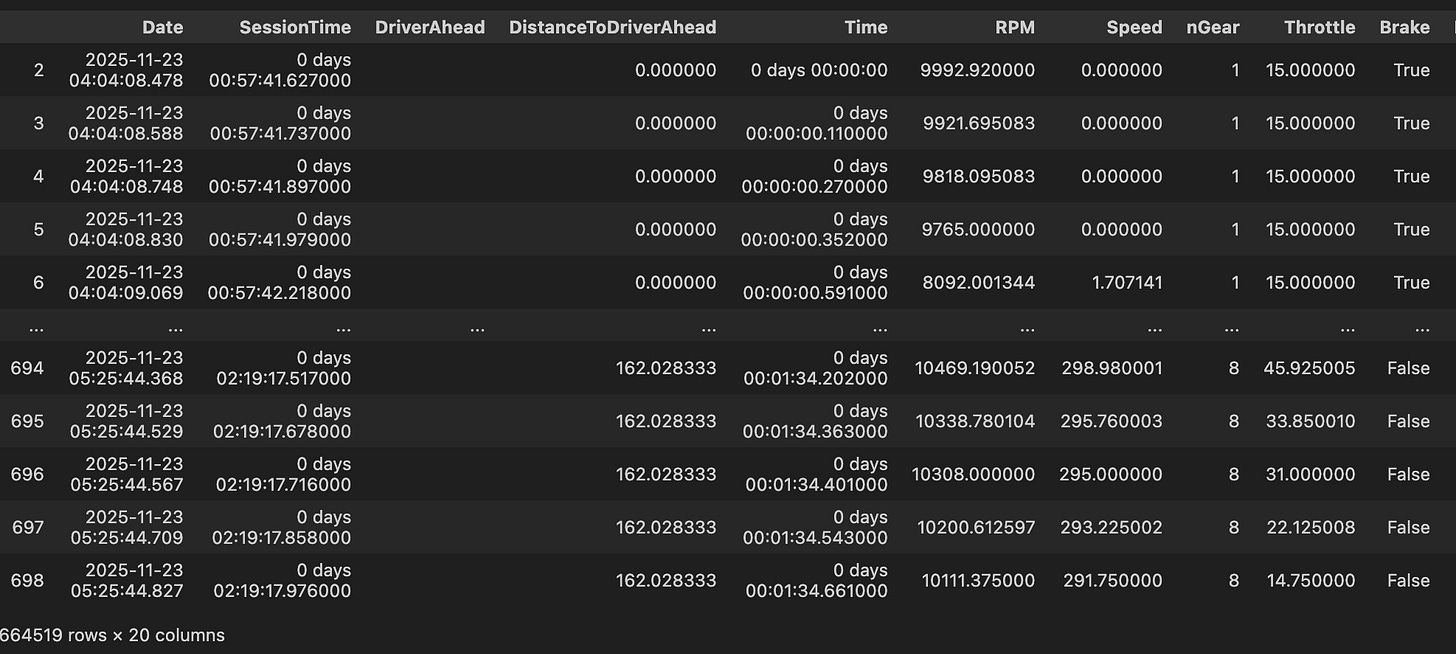
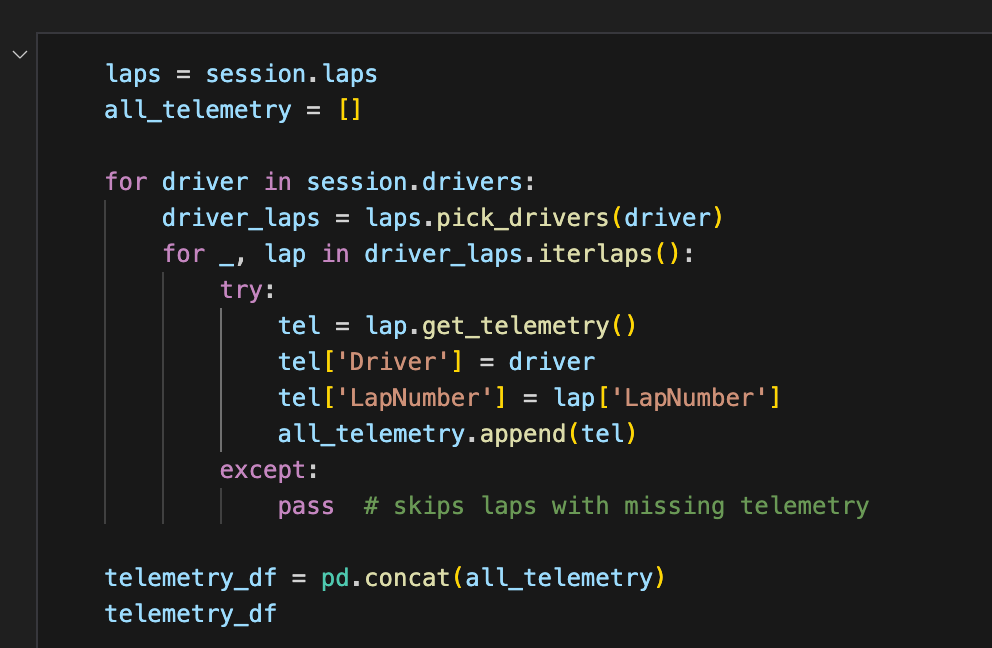
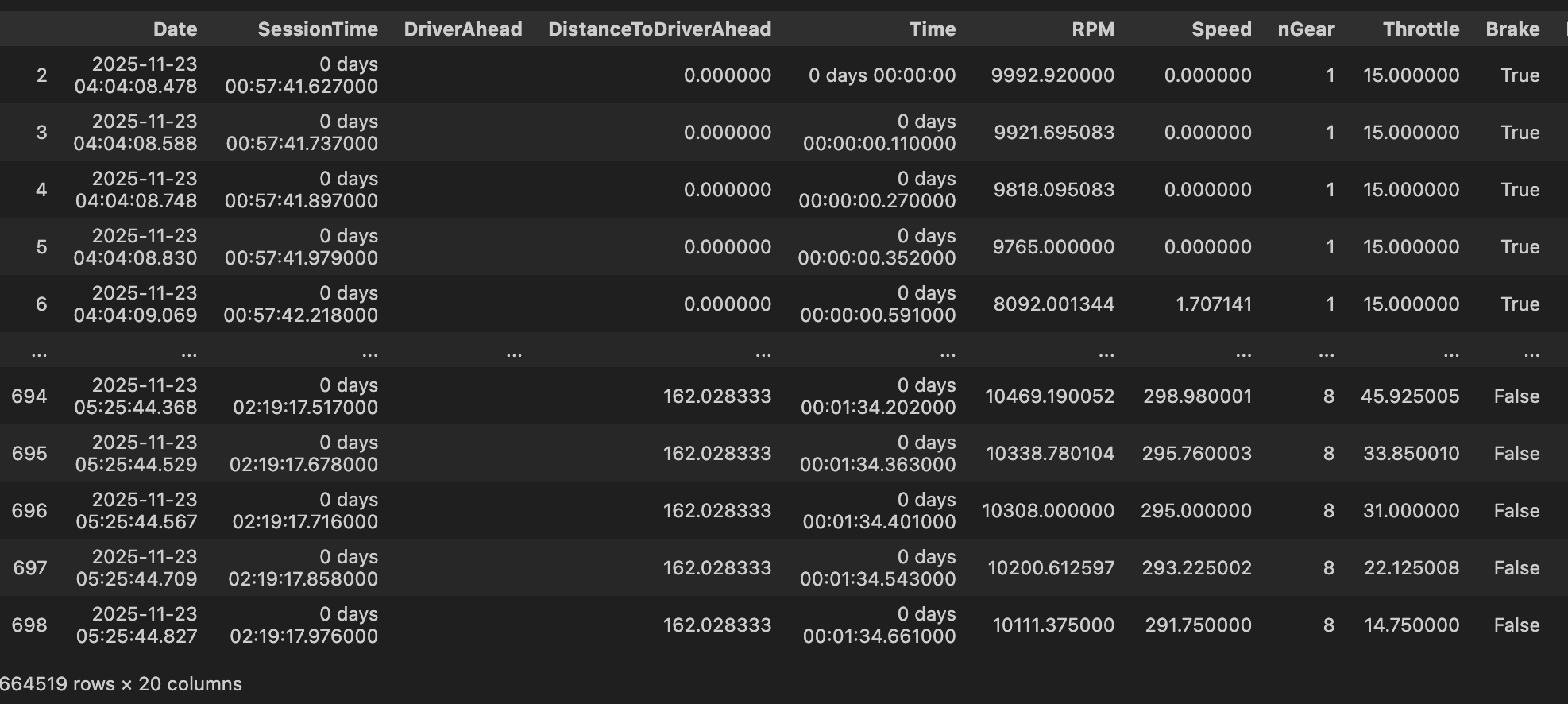
And then telemetry: Loop through every driver and every lap, call lap.get_telemetry(), and you get speed, RPM, throttle, brake, gear, and exact X/Y coordinates of the car on track.
This is real data that’s not only free but actually INTERESTING, and that combo is so rare I had to share it immediately.
Time to try it out with your fave race!
Bye BDEs 💅🏼
Jess Ramos 💕
⚡️ Social Highlights:
⚡️If you’re new here:
💁🏽♀️ Who Am I?
I’m Jess Ramos, the founder of Big Data Energy and the creator of the BEST SQL course and community: Big SQL Energy⚡️. Check me out on socials: 🔗YouTube, 🔗LinkedIn, 🔗Instagram, and 🔗TikTok. And of course, subscribe to my 🔗newsletter here for all my upcoming lessons and updates— all for free!